How to Use Your 30% Discount Code (JOE30)
Getting your 30% discount on manual orders of $60 or more is quick and easy. Just follow these simple steps:
Step 1: Add Manuals to Your Cart
Browse our store, select the manuals you need, and add them to your shopping cart. Make sure your cart subtotal reaches at least $60.
Step 2: Enter Your Coupon Code
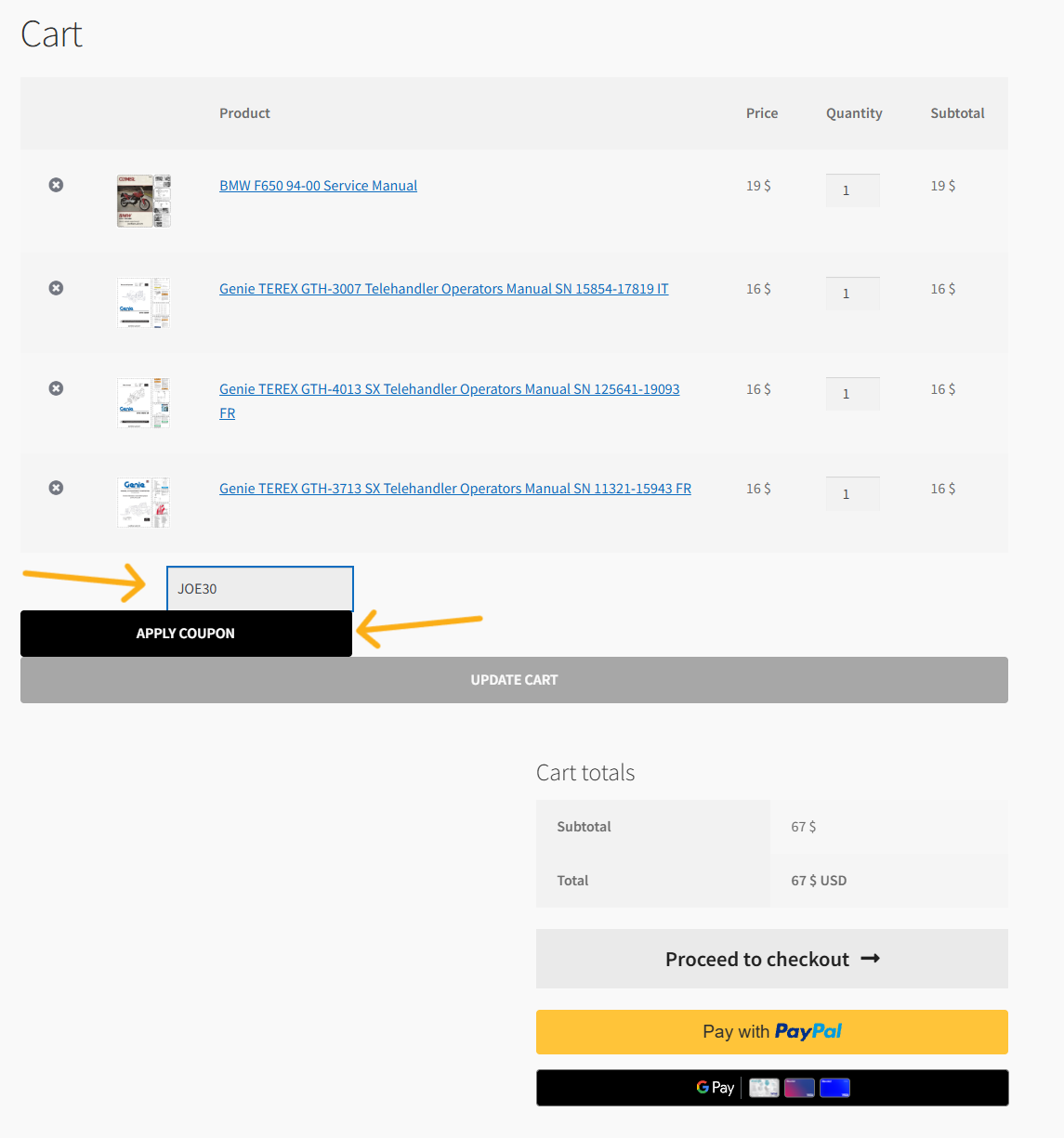
Go to your Cart page. Look for the coupon input field located below the list of products, type in the code JOE30, and click the “APPLY COUPON” button.
Step 3: Enjoy Your Savings
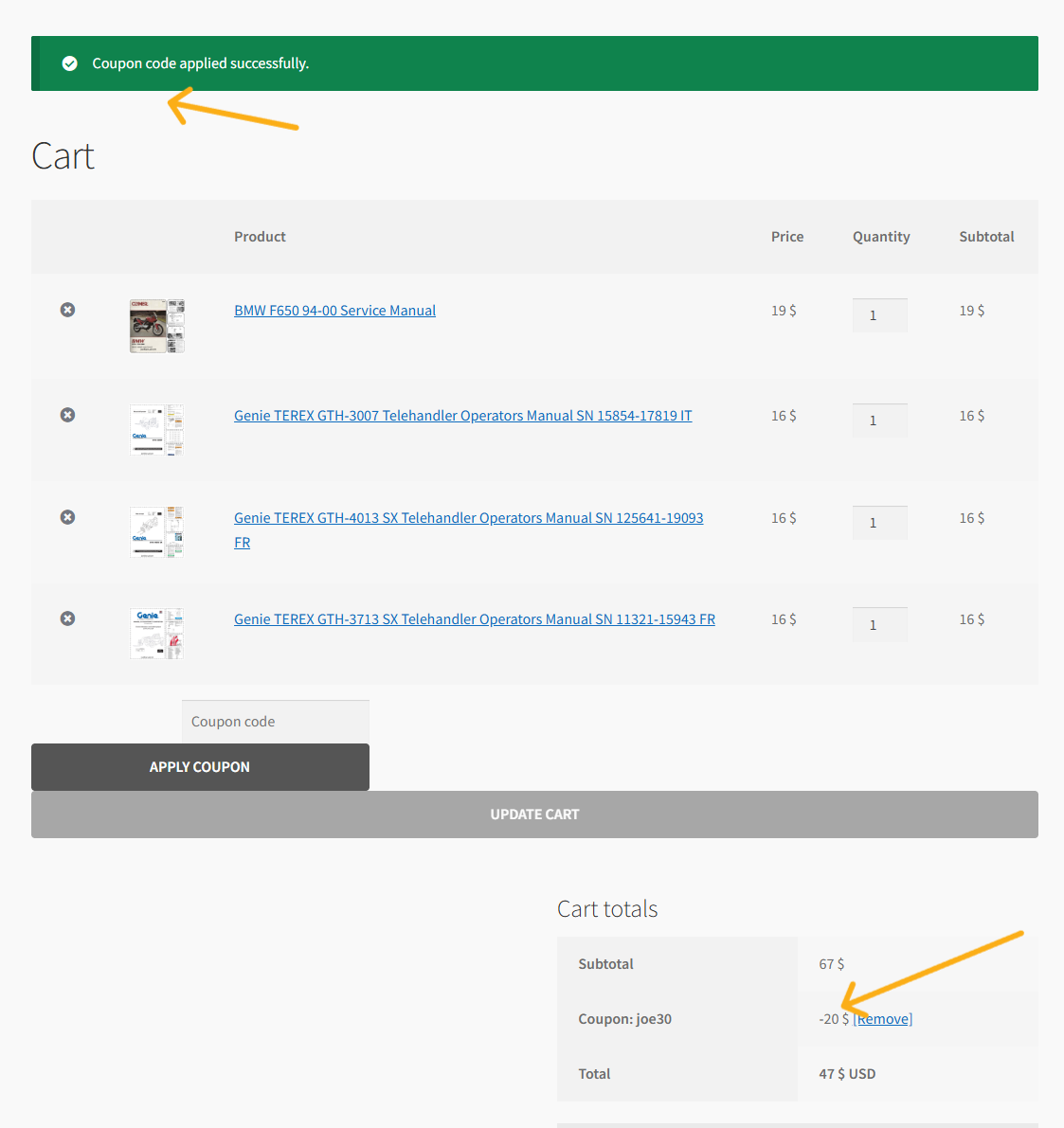
Once the coupon is successfully applied, a green notification will appear at the top of the page confirming the action, and the 30% discount will be instantly deducted from your order subtotal. Once the discount is active, you can click “Proceed to checkout” (or use PayPal / Google Pay) to complete your payment using your preferred method.
Need any help? Feel free to contact our support team anytime!